Microsoft ends Windows 10 support on Oct. 14, 2025 — what it means for your PC and your security
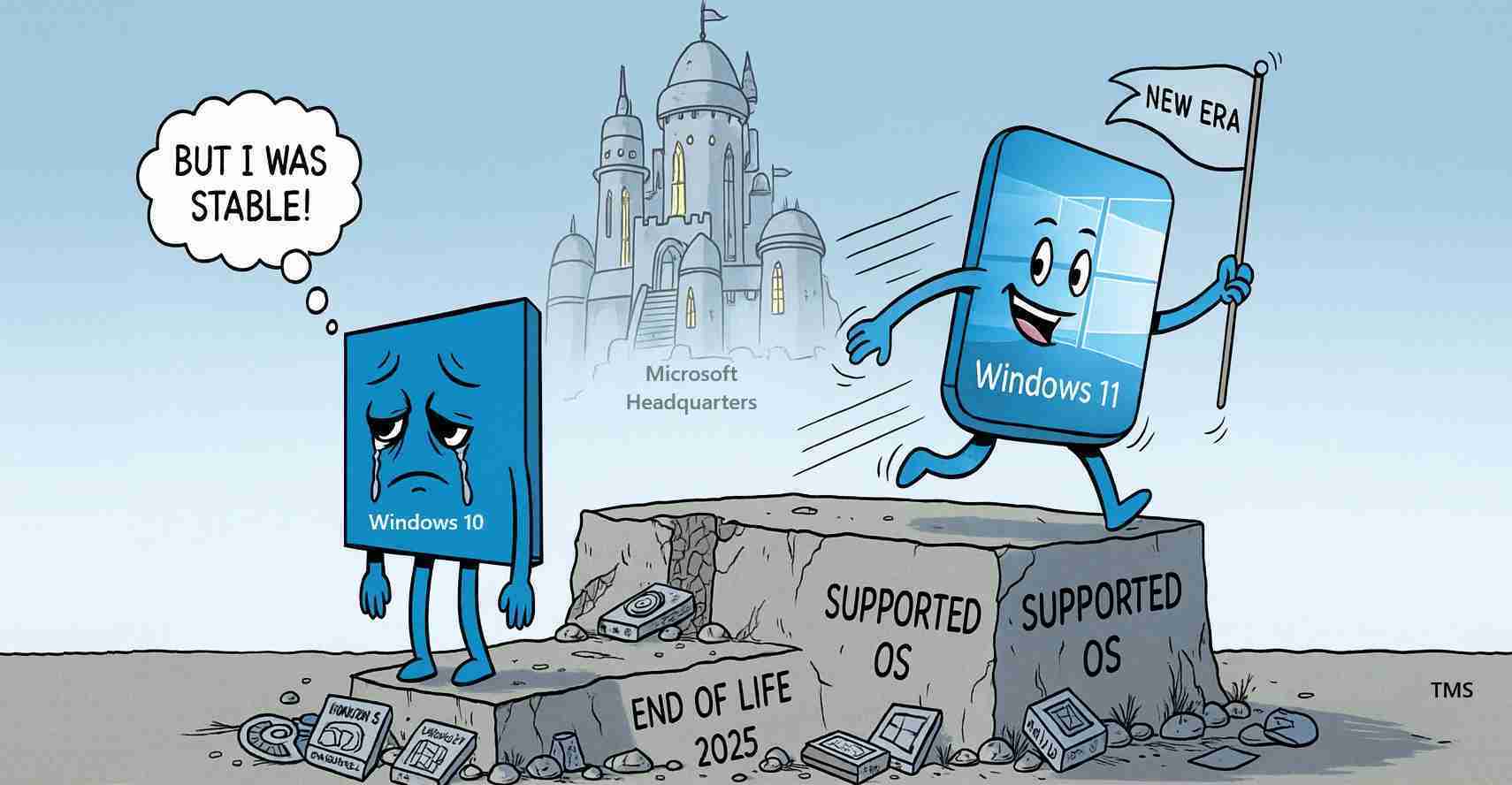
Microsoft ended support for Windows 10 on October 14, 2025, which stops security updates and technical assistance. Users should act now to upgrade, enroll in Extended Security Updates, or replace unsupported hardware to reduce exposure to malware and data loss.
- Support ended Oct. 14, 2025: Microsoft ended official support for Windows 10 on October 14, 2025.
- No more patches or tech help: Microsoft will no longer provide security patches, feature updates, or technical help for any Windows 10 edition.
- Primary options: Upgrade to Windows 11, enroll in the Windows 10 Consumer Extended Security Updates (ESU) program, or replace unsupported hardware.
What “end of support” means for everyday users
When a product reaches end of support, Microsoft stops delivering security fixes and will not assist with new problems tied to that OS. Devices running Windows 10 will still operate, but any vulnerability discovered after Oct. 14, 2025 will remain unpatched — increasing risk of malware, ransomware and system compromise.
Why security risk grows over time
Security researchers and criminal groups continually find and weaponize new bugs. While Microsoft supported Windows 10 it patched those holes; without support, new discoveries yield no official fixes. That raises the odds of:
- Data theft and identity exposure
- System takeover and ransomware
- Compatibility loss with modern security tools and updated applications
Experts warn older systems will become easier targets and harder to protect as third-party tools drop support.
Your options after Oct. 14, 2025
You have four main paths. Each carries trade-offs between cost, convenience and long-term security.
1. Upgrade to Windows 11
Microsoft recommends moving to Windows 11 to continue receiving security protections and compatibility updates. Check compatibility with the PC Health Check or your manufacturer’s tool. If your PC qualifies, upgrades are generally available via Windows Update or the upgrade tool.
Benefits: ongoing security patches, feature updates, and better support for new apps and peripherals.
2. Enroll in Extended Security Updates (ESU)
For devices that cannot meet Windows 11 requirements or that run essential legacy software, Microsoft offers a Windows 10 Consumer Extended Security Updates (ESU) program providing security updates through October 2026 for eligible systems. Enrollment steps and terms vary; consult Microsoft’s guidance for details.
Note: ESU is a temporary bridge, not a long-term solution.
3. Replace or buy a new device
If a PC cannot run Windows 11, consider replacing it. New devices include modern hardware and security features and typically ship with Windows 11. For many users, purchasing a new machine can be more cost-effective than extending support on old hardware.
4. Continue using Windows 10 with extra caution
You can still use Windows 10 devices, but take steps to reduce risk:
- Disconnect from the internet when possible for sensitive machines
- Use third-party antivirus and endpoint protection that still supports Windows 10
- Maintain regular, tested backups of important data
- Limit risky activities (online banking, downloads) on those devices
Remember: these measures are stopgaps and do not replace official patches.
What businesses and institutions should consider
Organizations face higher compliance and liability risks when running unsupported software. Regulators, insurers and corporate security standards often require patched systems. Recommended steps:
- Inventory Windows 10 devices and prioritize critical systems
- Identify legacy applications that block upgrades and plan remediation
- Test Windows 11 compatibility in staged environments
- Consider ESU only as a short-term pause while migrating
How to check compatibility and prepare to upgrade
- Run Microsoft’s PC Health Check tool or vendor tools to confirm Windows 11 readiness.
- Back up all files to an external drive or cloud service before attempting upgrades.
- Update drivers and software to the latest versions on Windows 10 before migrating.
- Test critical applications in a controlled environment for multi-device or specialized deployments.
Costs and practical trade-offs
Upgrading to Windows 11 is free for qualifying devices, but many older PCs won’t meet the requirements. Buying new hardware has an upfront cost but delivers longer-term security and performance. ESU can be a lower short-term cost but is temporary and may not be available under the same terms long-term. Weigh upgrade/replacement costs against the operational and security risks of unsupported software.
Implications for the United States
Economic impact: Millions of PCs in homes, small businesses and government offices run Windows 10. A large-scale upgrade or replacement cycle could boost PC sales and services, while security incidents on unsupported machines could impose costs from identity theft to business interruption.
Political and regulatory effects: Public agencies and contractors running Windows 10 may face pressure from oversight to modernize. Lawmakers could push funding or reporting requirements to help local governments and small entities upgrade.
Social consequences: Vulnerable groups — seniors, low-income households and small nonprofits — are more likely to have older hardware that can’t run Windows 11. Without assistance programs, those communities face higher exposure to cybercrime. Libraries, community centers and local governments will be important partners for outreach and help.
Action checklist for readers
- Check whether your PC can upgrade to Windows 11 with PC Health Check.
- Back up your data now to an external drive or cloud service.
- If you can’t upgrade, investigate the Windows 10 Consumer ESU program and enrollment steps.
- Consider buying a Windows 11–ready device when replacement is the safest long-term option.
- Tighten security on remaining Windows 10 machines: strong passwords, up-to-date antivirus, limited Internet use and frequent backups.
“These are stopgap measures — the only long-term protection is moving to a supported platform or maintaining ESU during transition.”
Sources and where to get help
- Microsoft: Windows 10 support end notice and upgrade guidance
- Microsoft: End of support overview and options
- University of Washington IT guide to Windows 10 end of life
- Windows Central: technology coverage and step-by-step guides
- Community Q&A on continued use and risks
- Demonstration and advice video
For step-by-step instructions and official tools, see the linked Microsoft resources and technical guides above. If you manage multiple machines, plan staged testing and backups before any mass migration.